Maintainers — apply for ChatGPT access
As checked on October 14, 2026, FluentRead had not submitted an application or received public integration approval, and its hosted backend was not deployed. This page is for maintainers. Users should see ChatGPT plan availability. The links, fields, and requirements below record that date.
1. Open the official interest form
Open Request a client ID and choose Sign in with ChatGPT interest form, or open the English or Chinese form directly. Completing this form does not immediately create a client ID.
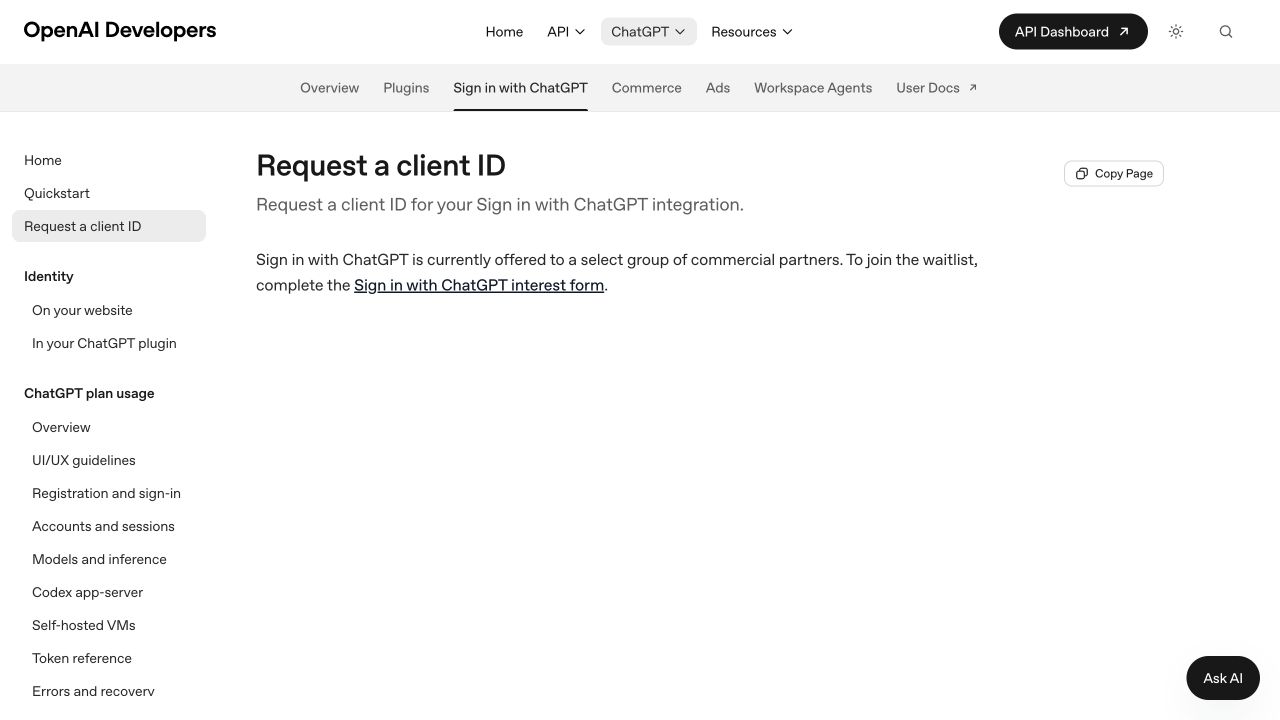
Screenshot: OpenAI Developers, October 14, 2026; actual page, unmodified.
At that check, OpenAI described a limited trial for selected commercial partners and directed open-source developers to documentation. Individual maintainers can describe their project truthfully, but acceptance and a review timeline were not promised. If you have an OpenAI representative, follow the website guide to contact them.
FluentRead seeks a public extension flow using ChatGPT plans. The open-source plan documentation directs paid or remotely hosted apps to the interest form. Open-source status alone does not grant public hosting permission.
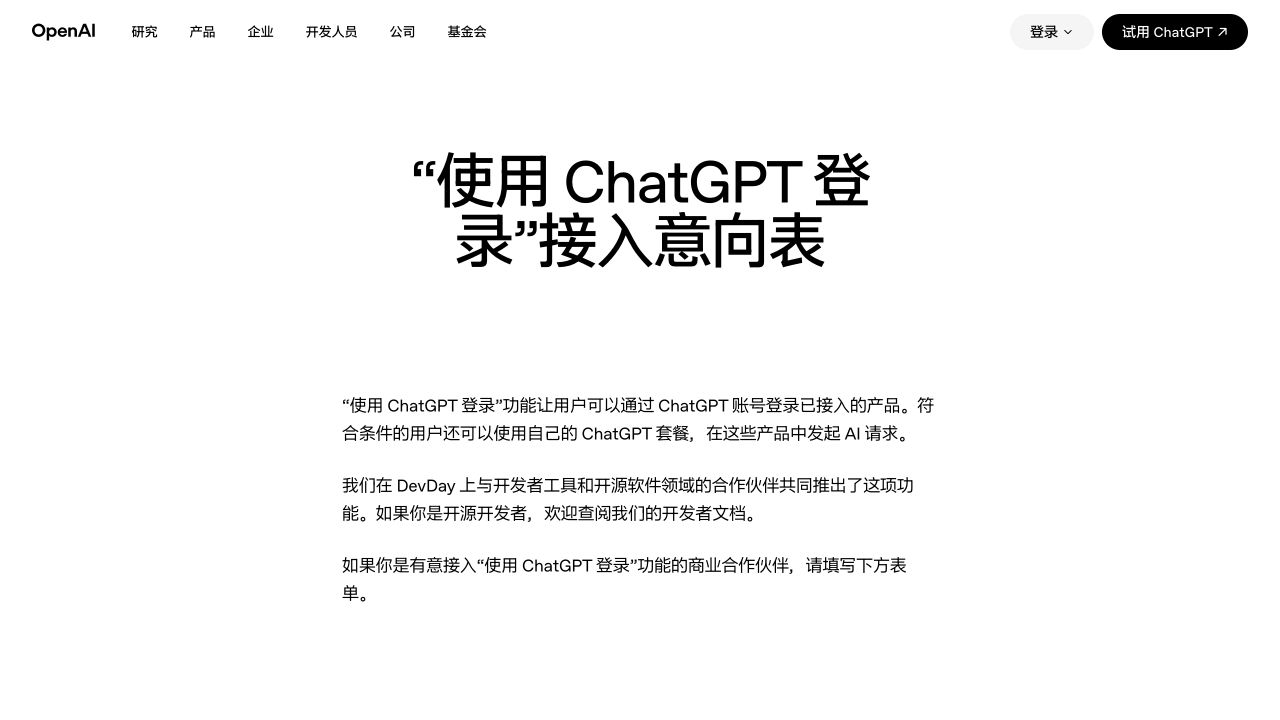
Screenshot: OpenAI Chinese interest form, October 14, 2026; fields empty, not submitted.
2. Complete the project information
These eight fields were recorded on that date. Asterisks mark required fields. Use your actual details without inventing a company or identity.
| Field | Information |
|---|---|
| Work email * | A real address where you can receive a response |
| Last name * | Your family name |
| First name * | Your given name |
| Company name * | Your actual company; for a personal project, explain truthfully, for example Independent open-source developer / FluentRead project. This wording does not guarantee eligibility |
| Website URL * | https://read.thinkstu.com/, with the repository in the product description |
| Job title | Your actual role, such as Open-source maintainer; optional |
| Capabilities * | The second option: sign-in and ChatGPT plan AI requests |
| Products * | Features, open-source status, extension use case, and planned hosting; see the draft below |
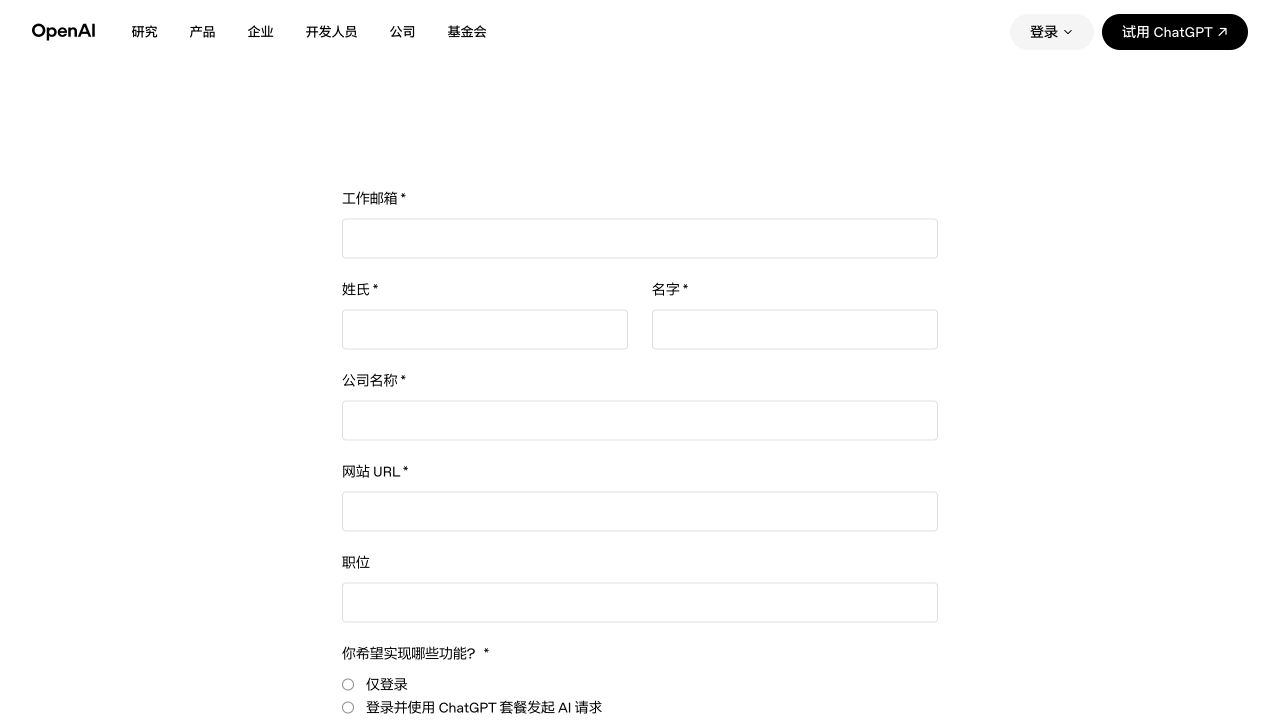
Screenshot: OpenAI Chinese interest form, October 14, 2026; fields empty, not submitted.
Identity sign-in alone does not enable plan AI requests. The official quickstart separates these capabilities. Users must also meet account requirements and authorize plan use.
3. Copyable product description
Check the actual project status before copying. This draft describes the request without claiming approval or a deployed backend.
FluentRead is an open-source browser extension for bilingual webpage translation, reading assistance, and writing. We would like eligible users to sign in with ChatGPT and authorize ChatGPT plan usage for these AI features.

Our intended public experience is sign-in and automatic return to the extension, without asking users to install a local runtime or perform developer setup. We are requesting approval for a hosted backend to manage the approved authentication and inference flow. This backend is planned and is not currently deployed.

Please confirm the supported client type, registered callback requirements, ChatGPT plan usage permissions, and whether this hosted browser-extension integration is eligible.

Project: https://github.com/FluentRead/FluentRead
Website: https://read.thinkstu.com/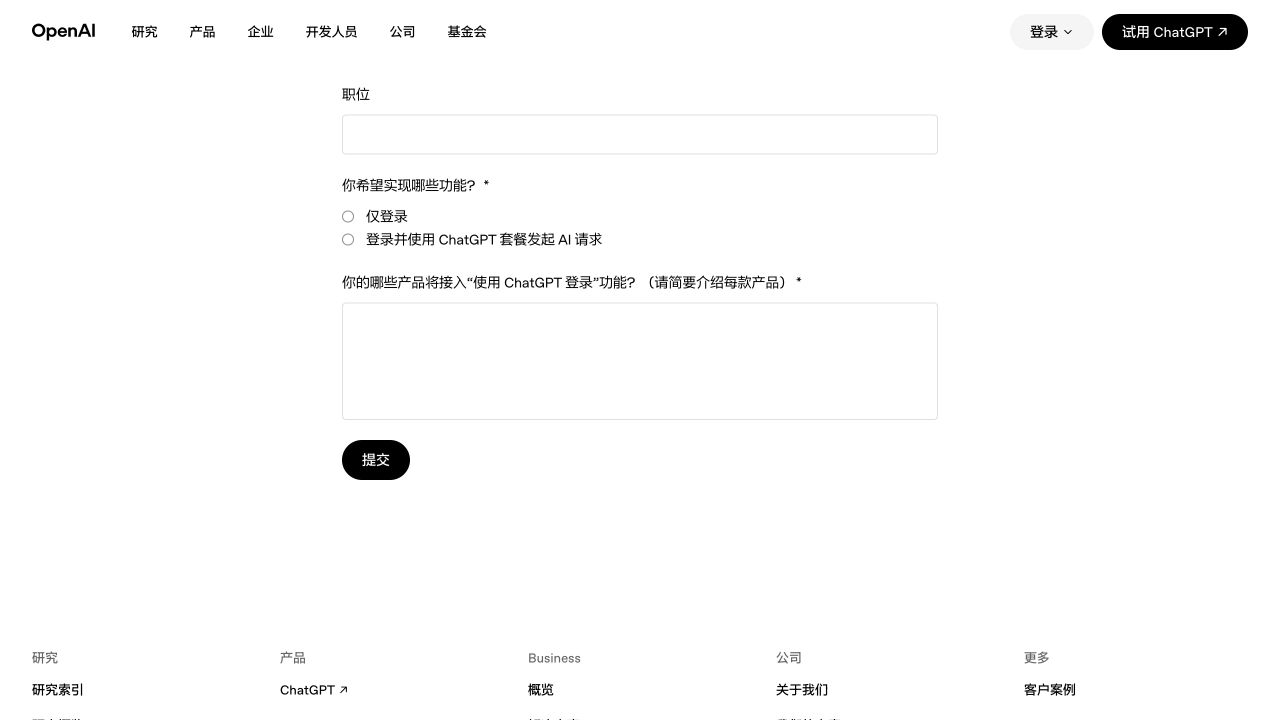
Screenshot: OpenAI Chinese interest form, October 14, 2026; fields empty, Submit not clicked.
The initial form on that date did not request a callback URL, client ID, or completed OAuth server. Describe the real project and plan first. These screenshots are not an application; submission still requires confirmation of eligibility and permissions.
4. Confirm the integration conditions
Before designing or deploying the flow, confirm with OpenAI:
- Application and client type: approval for the extension and backend, public or confidential client type, and assigned client ID.
- Callbacks: exact development and production URLs and the supported return to the extension. FluentRead has no approved public callback.
- Plan usage: approval for plan AI requests, scopes, account requirements, models, and limits.
- Hosting: permission and requirements for token exchange, protection, refresh, and inference.
At that check, the website guide covered identity only. The open-source plan registration guide used an HTTP callback on 127.0.0.1, without documenting extension chrome.identity or HTTPS callbacks for plan use. A public extension flow still needs official confirmation.
A planned backend would change the data flow described in the current privacy policy. Before implementation and launch after approval, disclose actual credential storage, content forwarding, revocation and deletion, and retention. Approval, deployment, and real-account authorization checks must precede a public release.