Open-source browser extension
FluentRead
Closer languages. A bigger world.
A browser extension for bilingual webpages, selection translation, AI reading assistance, and image, document, and subtitle translation.
The website and guides require no login. Google authorization is only needed for optional configuration sync.
Open source · GPL-3.0 DeepSeek Harness session core Privacy policy
Webpage reading
Bilingual webpage translation
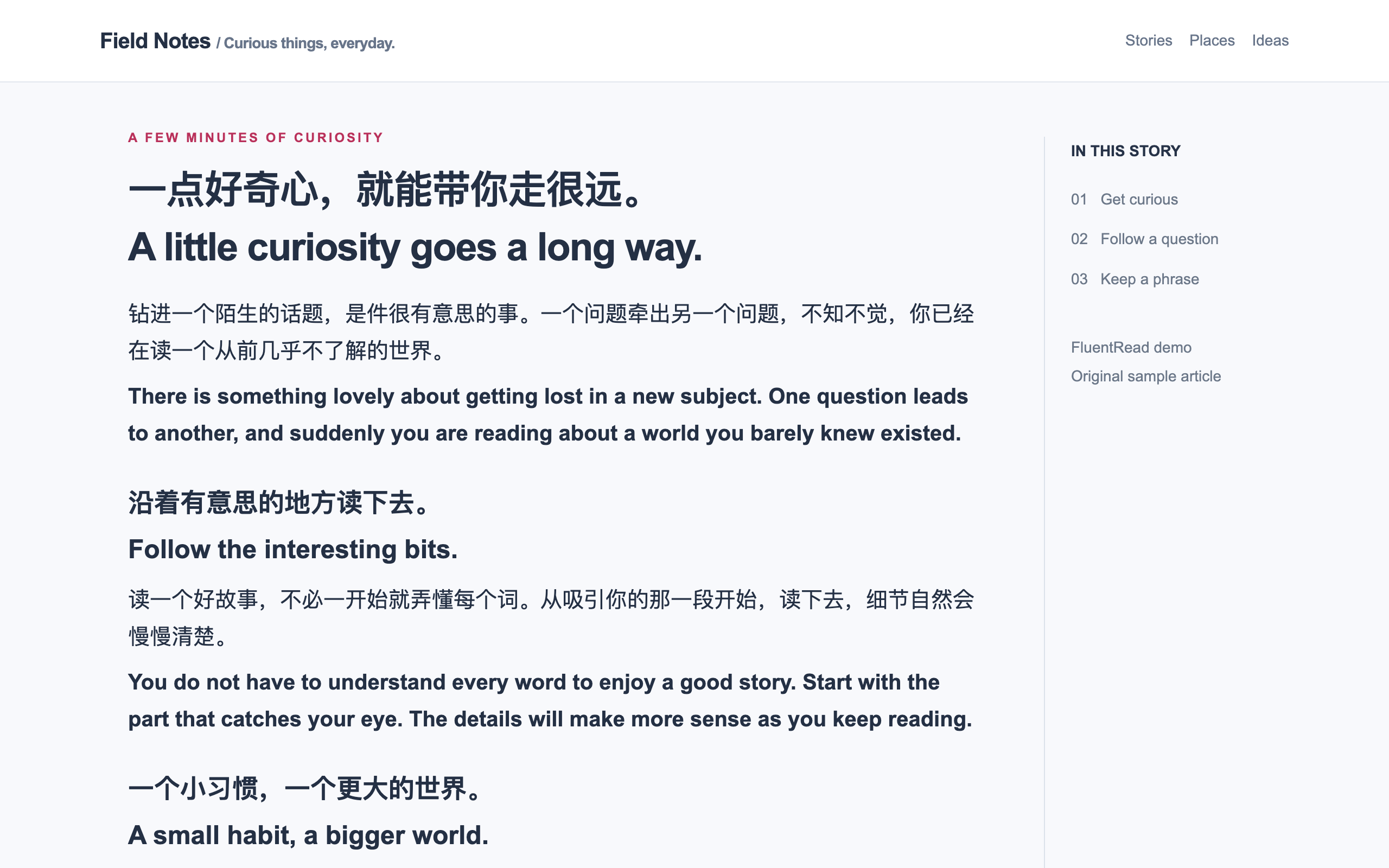
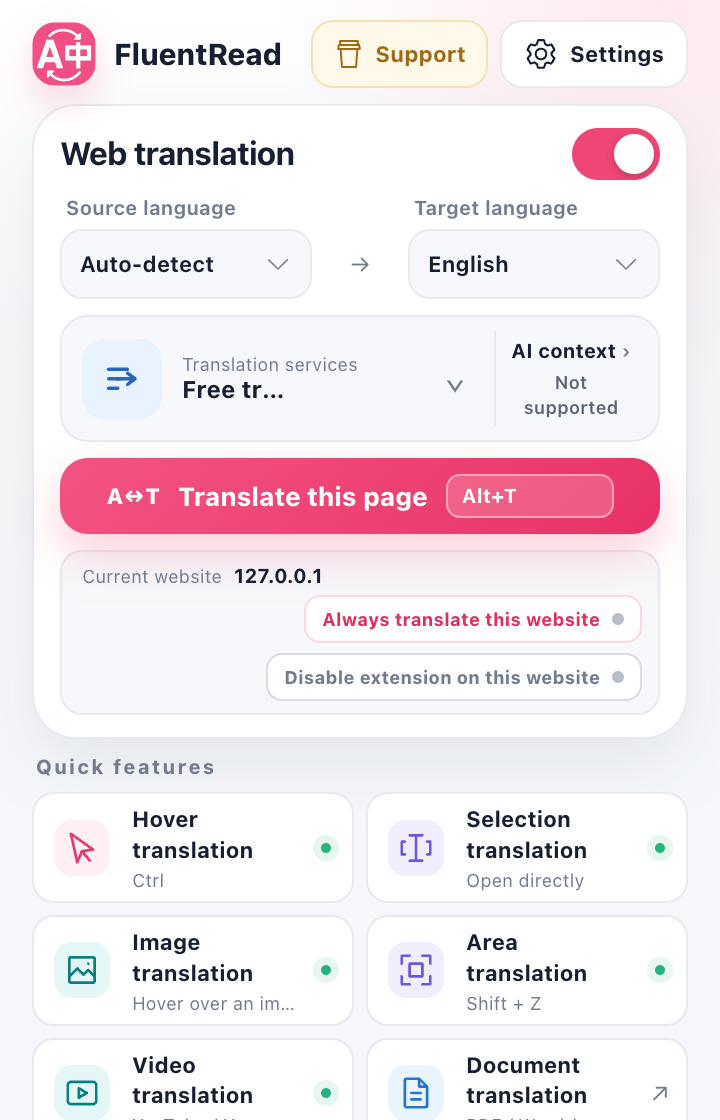
Display translations alongside the original text while retaining paragraph correspondence. Translate a full page, hover over a paragraph, or select text, and restore the original when needed.
Webpage translation guideOpen a webpage
Open a webpage in your browser.
Select a language
Choose the target language. The source language is detected automatically.
Translate and read
Display both languages on the page or restore the original.
DeepSeek Harness
AI reading card
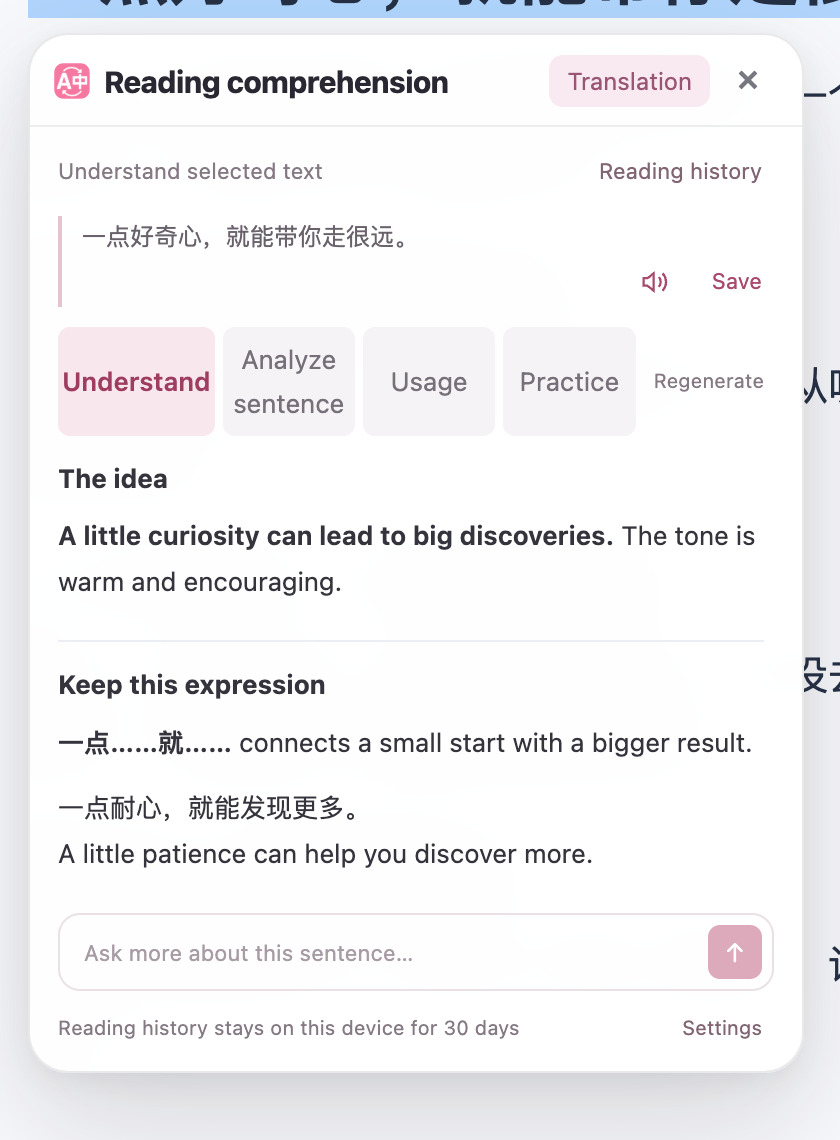
Explain selected text, analyze sentence structure, explore usage, and generate practice. Follow-up questions and vocabulary collection are available in the card.
The card integrates a browser adaptation of the DeepSeek Harness session core. It connects the selection, permitted paragraph context, and reading history to your configured AI provider and model.
Explanations and practice use your configured AI service and start when you choose an action.
Reading card guideTranslation formats
Images, documents, and subtitles
Image and area translation
Recognize text in webpage images or selected areas and display translations that can be copied. It does not generate images.
DocumentsDocument translation
Read PDF, ePub, Word, and other supported files in two languages, edit translations, and export the result.
Video subtitlesBilingual subtitles
Display bilingual subtitles on YouTube and X, with configurable subtitle appearance.
Configuration
Services and reading settings
Configure automatic translation by website, translation styles, keyboard shortcuts, and menu layout.
Choose the free translation service, connect DeepL or an AI provider, or use a local Ollama model.
Choose a translation serviceThird-party services may require their own credentials or paid credits. Cloud translation sends the text to your chosen service. Read the privacy policy
Data & privacy
Data follows your choices
Settings and learning records stay in your browser. Cloud translation sends content to your chosen provider. The policy also explains local recognition and model downloads.
Read the privacy policyGoogle Drive configuration sync
Start a sync to save your complete configuration in your own Google Drive and restore it on another device.
Google APIs only check the sync account and read or write FluentRead's own configuration backup. Other Drive files are not accessed, and Google data is not used for AI training or image generation.
Includes service credentials, such as API keys. Wordbooks, conversations, and usage statistics are excluded. Review the scope, encryption, and deletion controls before syncing.
Understand sync dataSource and contributions
An open-source project under GPL-3.0
The source code is hosted on GitHub. Contributions to code, documentation, interface translations, and website support are welcome through issues and pull requests.
Chrome · Edge · Firefox