
Translation Center
Compare how different services translate the same sentence.
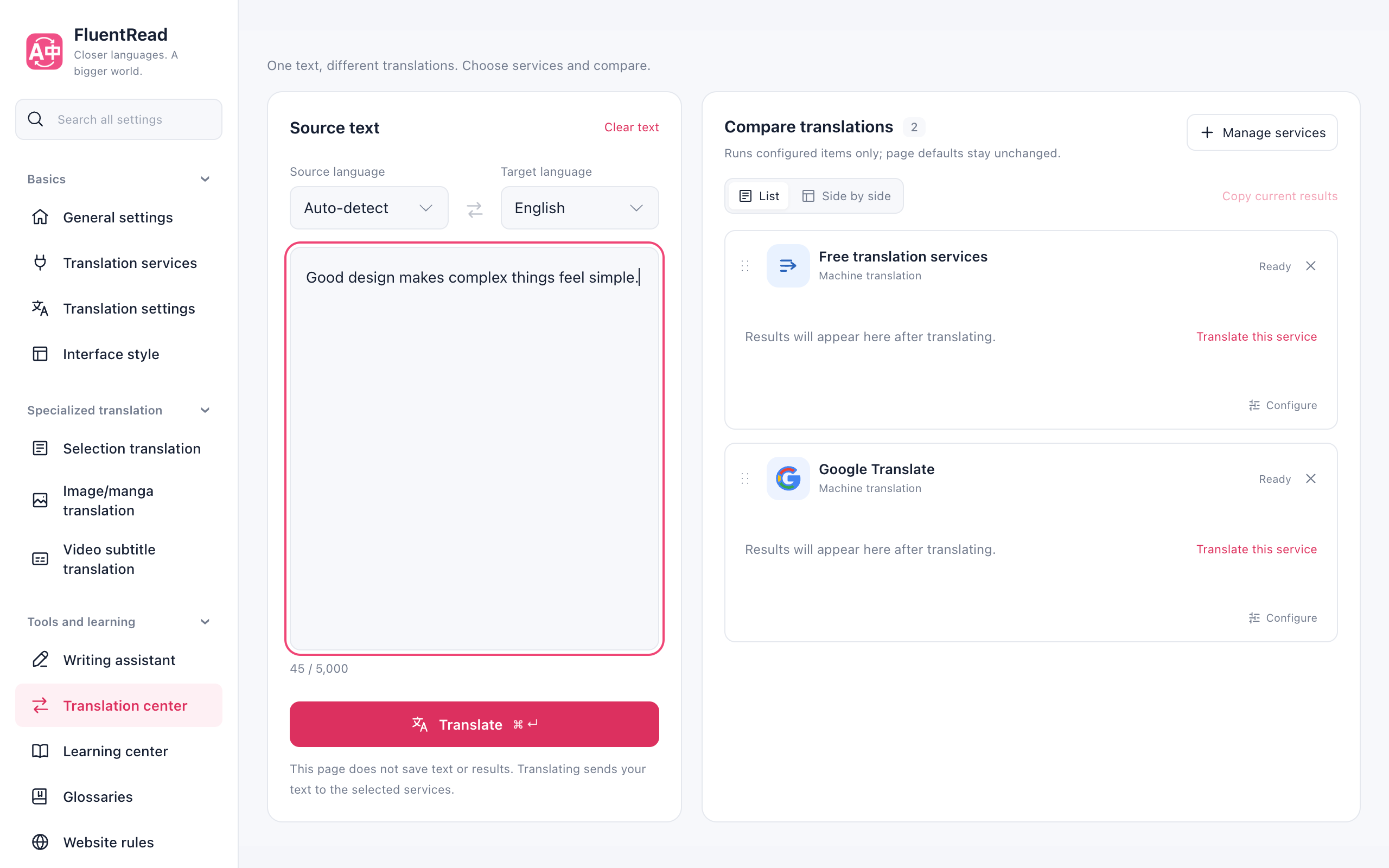
Compare a translation
- Open Settings → Tools & learning → Translation Center.
- Enter text, pick the languages, and add providers in Manage services.
- Choose Translate. Compare results in a list or side by side, then copy the result you need.
Text and results stay in this page only. Copy what you need before closing or refreshing. The selected services receive your text.
Managing results and providers
Open Settings Center → Tools and learning → Translation Center, enter text, choose languages and click Translate (⌘ + Enter on Mac, Ctrl + Enter elsewhere). First use starts with a small selection of no-key services and a configured default; existing choices and order are preserved.
Manage services supports multiple selections and service/model search. It separates no-key services and saved credentials from services needing configuration; saved credentials do not prove that a connection works. Adding a service never sends a translation request. Configure opens its connection and model settings; returning keeps your text and completed results. Comparison choices do not change the default page service, but connection settings are shared with other features.
Switch between List and Side by side; narrow screens use one column. Drag cards or focus their handles and use Alt + ↑ / ↓ to reorder. Languages, order and layout save automatically. Stop all unfinished tasks or a single service without losing completed results; retry only unfinished items when needed.
Changing the text, language or model marks previous results, retaining their original language pair. Copy current results excludes outdated translations; an individual previous result can still be copied for reference.
Source text and results are not stored in Translation Center settings and clear when the settings page closes or reloads. Translating sends the text to the selected services, subject to the extension's existing request logging and statistics settings.